
 AI Video Effects
 AI Image Effects
 Video AI
 Image AI
 Other Tools
- My Creations
- Explore More
Dance Challenge with Mimic Motion
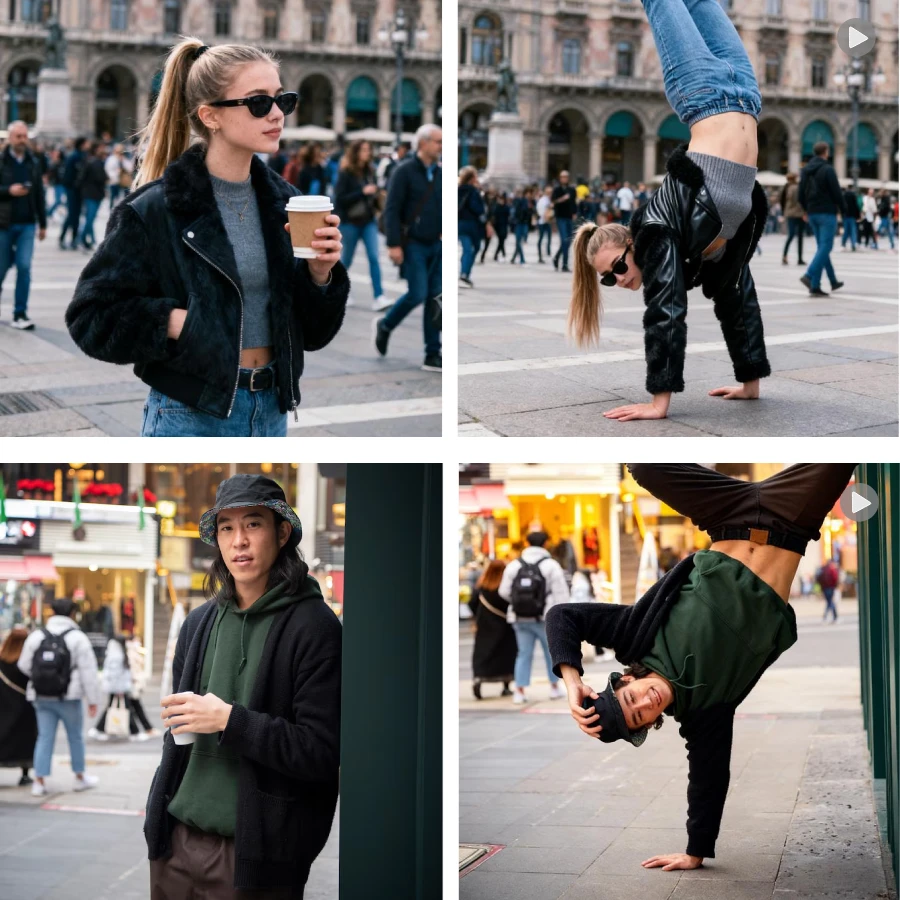
AIShowX's mimic motion can generate any shareable dance styling video; you just need to upload a picture and pick or upload a motion template. No dancing ability required — fast & easy.
Precise Motion Transfer
AI mimic motion maps joint movement from the template to your photo with careful alignment, so poses look accurate. Use a motion template to keep timing and limb positions consistent.
Natural Motion, No Distortion
The system adjusts posture subtly to avoid warping faces or clothing. Our mimic motion and dance styling options preserve realism even with fast or complex moves.
How to Use Our Mimic Motion?
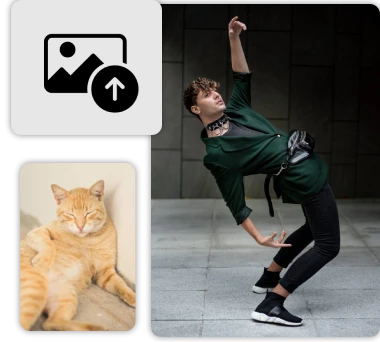
Step 1: Upload the picture
Upload a clean and clear photo, select an motion template or upload your own motion template.
Step 2: AI motion challenge
Whether it is dance moves or other moves, click the generate button to start your movement imitation journey.
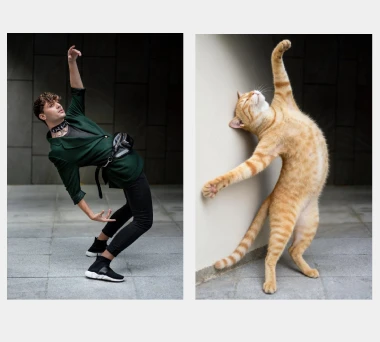
Step 3: Use anywhere
If the results generated by AI mimic transfer meet your expectations, you can share them on any social platform.
What Users Say About Our AI Mimic Motion?
I used this for a simple Dance Challenge. I uploaded a photo and the mimic motion felt natural and easy to share.
Emma Rivers
Content Creator
We tested AI mimic motion for a short clip. The process was quick and the dance styling options were helpful.

Daniel Kim
Marketing Specialist
No dance skills needed — one photo and a motion template gave me a ready-to-post clip.
Sophia Mitchell
Fitness Influencer
AI mimic motion preserved facial detail while producing smooth body movement. It saved me time in rough cuts.
Jason Lee
Video Editor
I’m not a pro, but the mimic motion made my clip look tidy and shareable in a few clicks.
Chloe Thompson
Student / Hobbyist Dancer
I used this for a simple Dance Challenge. I uploaded a photo and the mimic motion felt natural and easy to share.
Emma Rivers
Content Creator
We tested AI mimic motion for a short clip. The process was quick and the dance styling options were helpful.
Daniel Kim
Marketing Specialist
No dance skills needed — one photo and a motion template gave me a ready-to-post clip.
Sophia Mitchell
Fitness Influencer
AI mimic motion preserved facial detail while producing smooth body movement. It saved me time in rough cuts.
Jason Lee
Video Editor
I’m not a pro, but the mimic motion made my clip look tidy and shareable in a few clicks.
Chloe Thompson
Student / Hobbyist Dancer
FAQs about AI Mimic Motion
What is AI Motion Transfer?
It helps you animate photos that mimic the movements of a reference video. For example, if you have a photo of yourself or a friend, or a video of a popular dance, you can use this tool to make your friend perform that dance.Are there any image requirements for AI Motion Transfer?
When using our AI Motion Transfer tool, you should upload a clear photo. The photo should clearly show the subject's full body, with their face facing forward and well-lit.Can I use it to mimic the movements of any reference video?
Yes! Our AI Motion Transfer tool provides a library of animated video templates, and you can also upload your own templates at any time. When uploading, please ensure that the video is in MP4 or MOV format, is no longer than 30 seconds, has good quality, and clearly shows the subject's movements.Can this feature make pets dance?
Our AI Motion Transfer feature includes AI Dance Generator. Simply follow the instructions to create AI dances, AI cat dances, and more.